Experiments
Run A/B experiments on your ad setup to measure and optimize performance.
An experiment compares two or more variants of your ad setup so you can keep the one that performs best. You run one by labeling each variant's ad requests with an experiment tag, then comparing performance by tag.
- Does requesting an ad before the LLM answers perform differently than after?
- Does our new chat UI redesign impact ad revenue?
Koah doesn't handle bucket assignment or randomization. You decide which variant each ad request belongs to in your own code, then pass that variant's tag on the request so Koah can attribute the metrics to it.
How to run an experiment
Register a tag for each variant
Register an experiment tag for each variant in your publisher settings under Experiment Tags
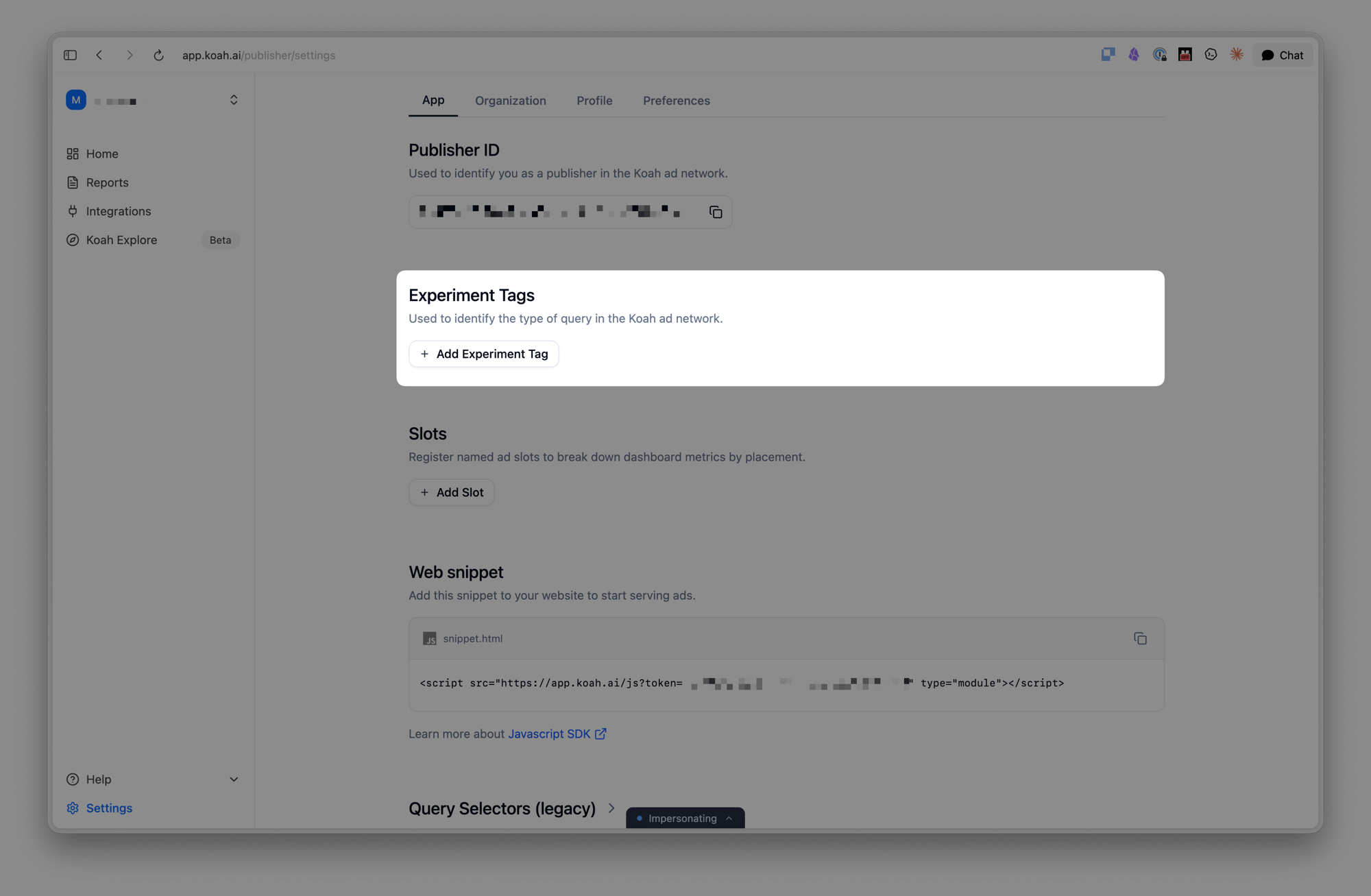
An unregistered tag is silently ignored — the request still serves an ad, just without the tag, so it won't appear in your results. Register it first.
Tag each variant's requests
Pass the variant's tag as the experimentTag on each ad request you want counted in that variant — you choose the variant per request in your own code. The field is available on every context (conversation, article, feed, static) and on every SDK.
Compare and pick a winner
Each variant's performance is attributed to its tag — revenue, fill rate, CTR, eCPM, and impression/query volume — so you can compare variants and keep the one that earns the most.
Naming rules
- An experiment tag name must be unique per publisher.
- The tag name can be at most 20 characters.
- For readable results, we recommend a simple lowercase, hyphenated convention, e.g.
variant-a,control,redesign-v2.